Software Engineering (CS 360) · Spring 2026
Campus Event Discovery
One place for LUMS students to find events, RSVP and get reminded, instead of digging through a crowded Outlook inbox.
The problem
At LUMS, campus events arrive as a stream of Outlook emails. They’re easy to miss, hard to search, and there’s no way to tell if an event is already full. Before writing any code, our team ran user interviews and a survey of 16 students to check that the problem was real:
- Every student surveyed had missed an event because they heard about it too late.
- 94% were frustrated by email overload.
- 81% wanted to see seat availability, and 75% wanted personalised suggestions.
These results shaped our priorities. Late notifications pushed reminders and change alerts into the first release.
How we worked
We turned the research into 34 user stories across three roles (students, event managers and admins), sized them with story points, and each of us designed Figma mockups for the stories we owned. Storyboards and CRC cards came next, then the build: an Android app in Java on Firebase, split by class so five people could work in parallel through branches and pull requests.
What I built
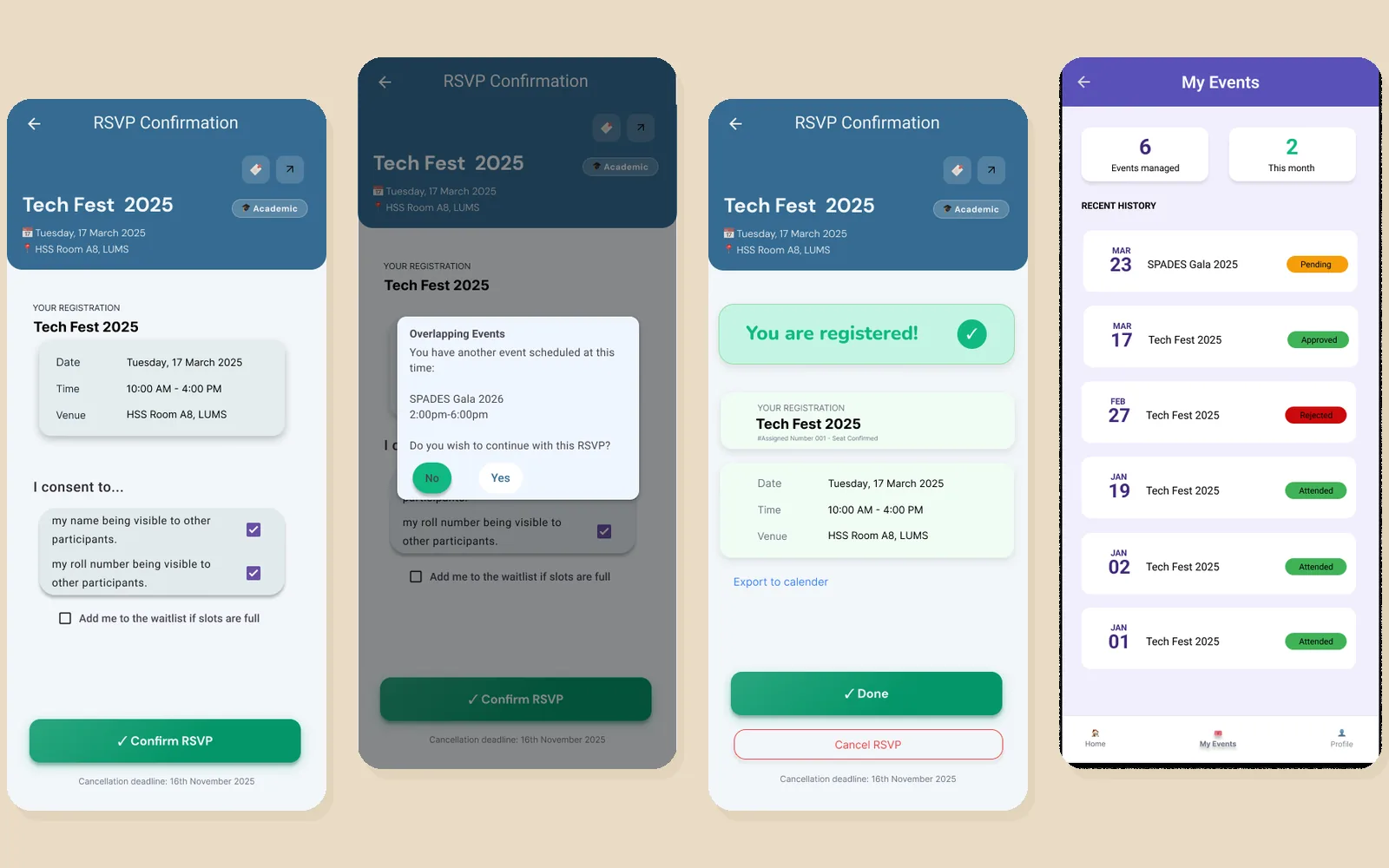
I owned the student’s side of committing to an event: the RSVP screen and everything that happens after it.
RSVP, with a schedule check
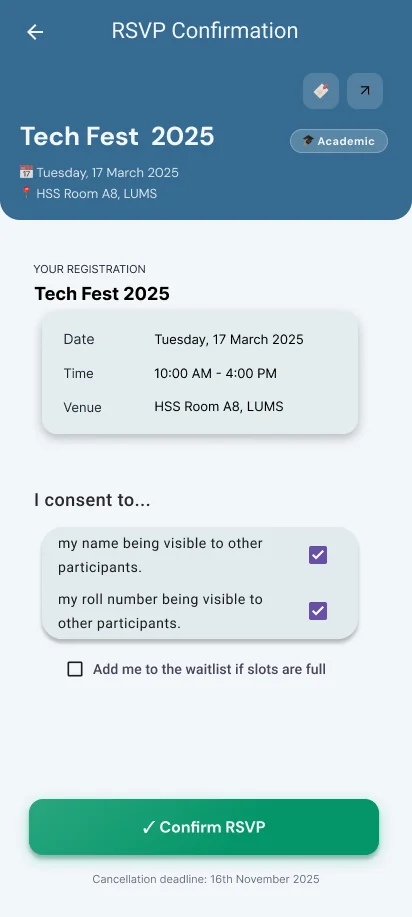
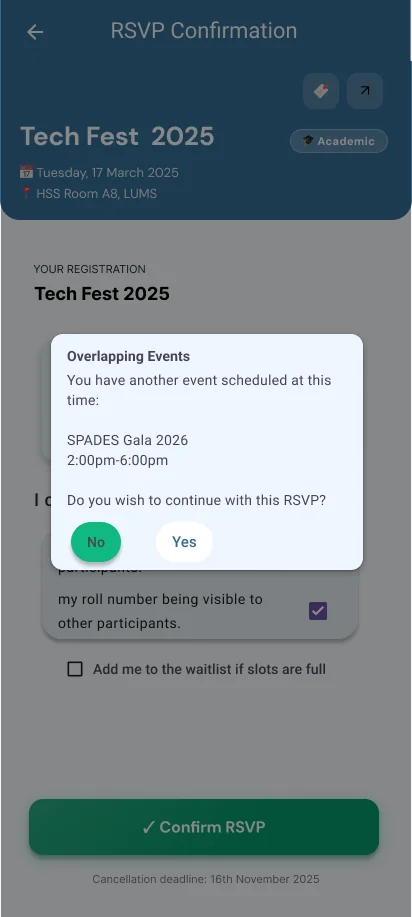
Before confirming, the app checks the student’s existing RSVPs. If there might be a clash, a dialog names the other event and lets them decide: keep both, or go back. The form also lets students choose whether their name and roll number appear on the attendee list, and opt into a waitlist.
Reminders
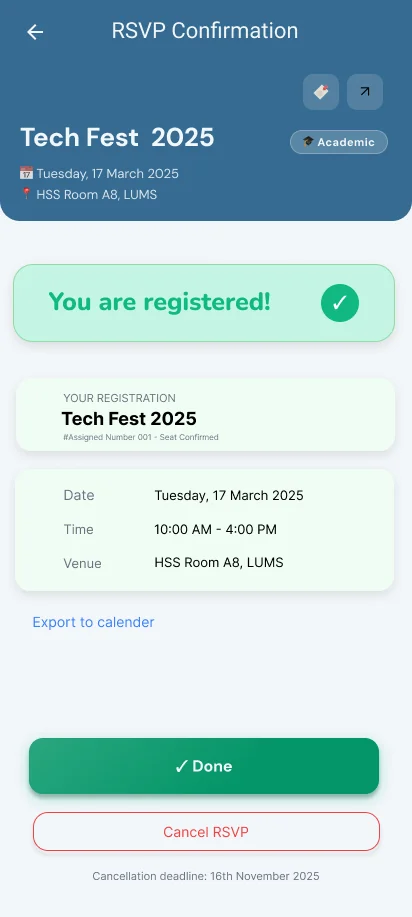
Since late notice was the top complaint, every RSVP schedules two local notifications with Android’s WorkManager, one a day before and one an hour before, so reminders fire even when the app is closed. One tap adds the event to the phone’s own calendar.
Cancelling, history and notifications
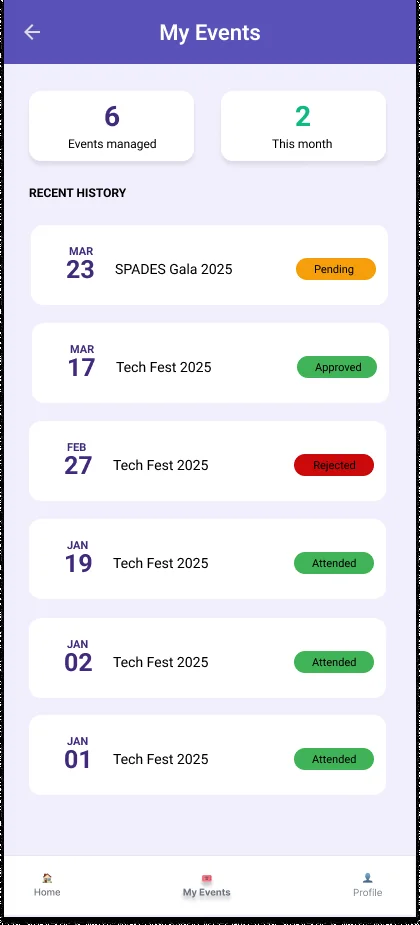
Cancelling an RSVP is a two-step confirmation, so a stray tap doesn’t cost someone their seat. I also built the event history screen (attended, missed, or a recap) and the notifications screen, with unread markers.
The rest of the app
Teammates built role-based sign-in, the event manager dashboard and analytics, admin approvals, search and recommendations. Together it covered discovery, RSVP, attendance and event management end to end.