Me @ G21
Everything I need to remember, in one app I can just talk to.
Live · me-at-g21.vercel.app · private, sign-in only
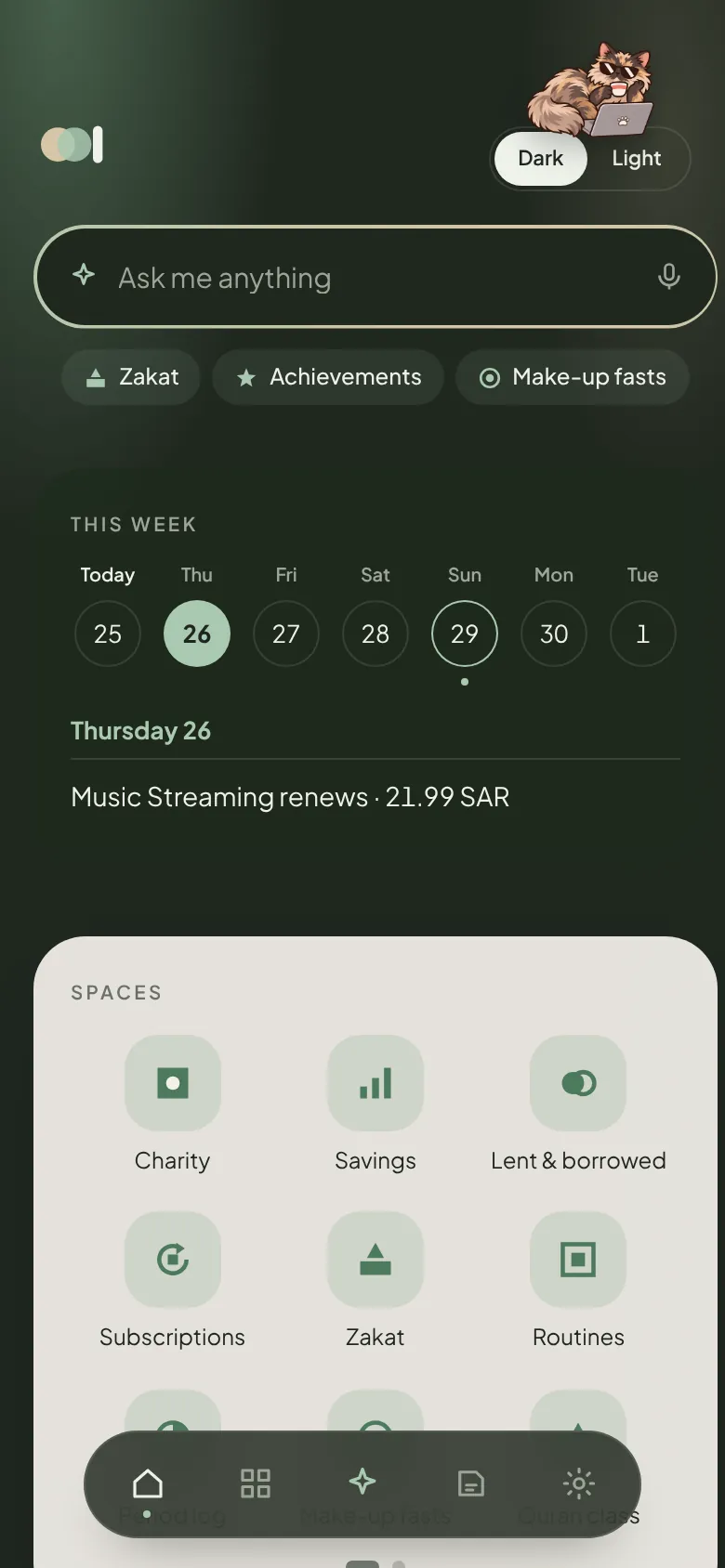
areas of life tracked
actions the app can take
of them available to the AI, always behind a confirm
records saved without a tap
automated tests
from requirements to live
My life admin lived in ten places, and none of them talked to each other.
Charity in a notes app, passport expiry dates in my head, Quran class homework in WhatsApp, master's deadlines in a spreadsheet, make-up fasts on paper. Each tool knew one thing. None knew my week.
Generic planners didn't fit either. They don't know Hijri dates, zakat, make-up fasts, SAR and PKR, or that a reminder about a private routine shouldn't show on a lock screen.
One private app for everything I track, mobile-first, installable on my iPhone.
Log anything in one sentence, typed or spoken, without hunting for the right form.
Reminders that arrive on time, in my timezone (Asia/Riyadh), and never leak private details.
Nothing saved, deleted or downloaded unless I confirm it, including anything the AI suggests.
Real security for real documents: passkeys, encryption, backups I can restore.
Twenty areas of life, grouped into five spaces, plus lists I make myself.
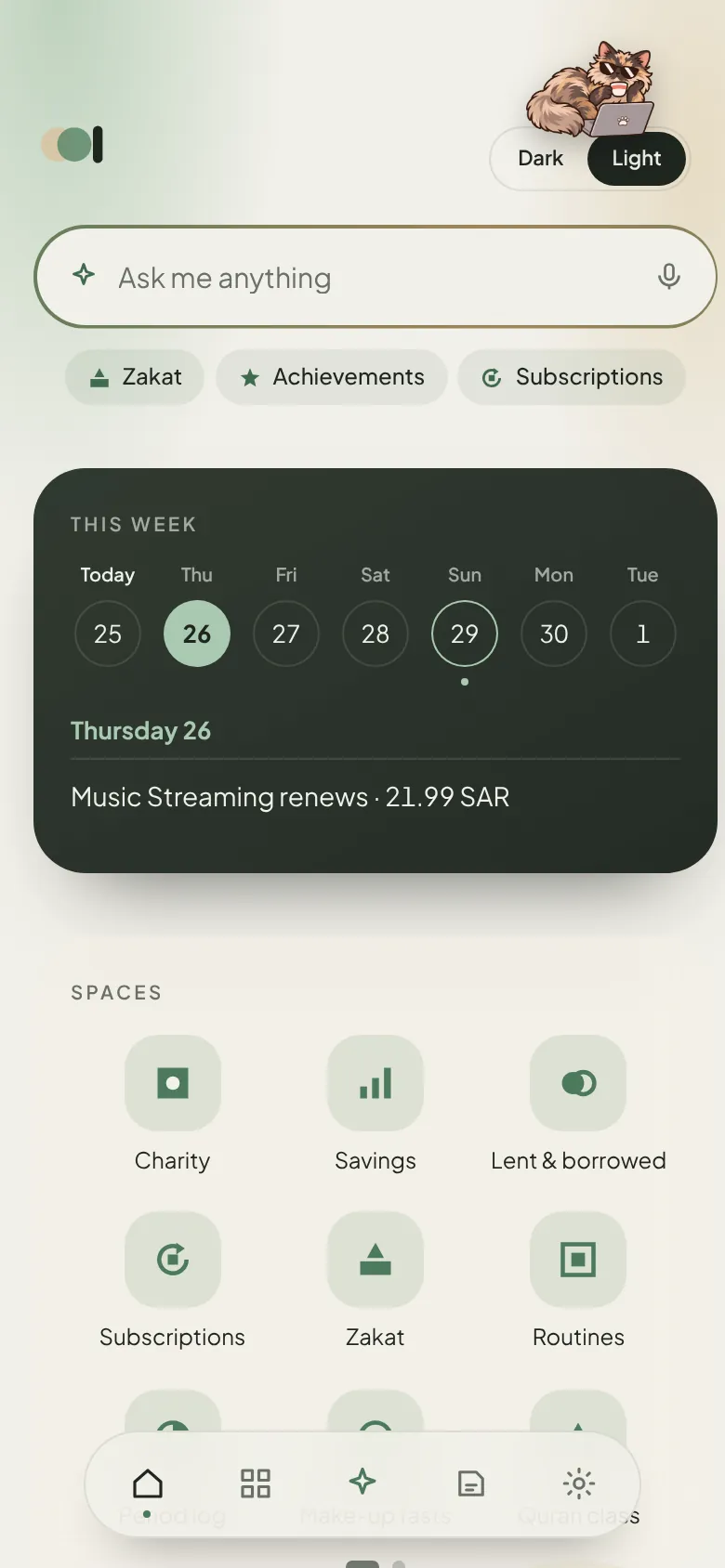
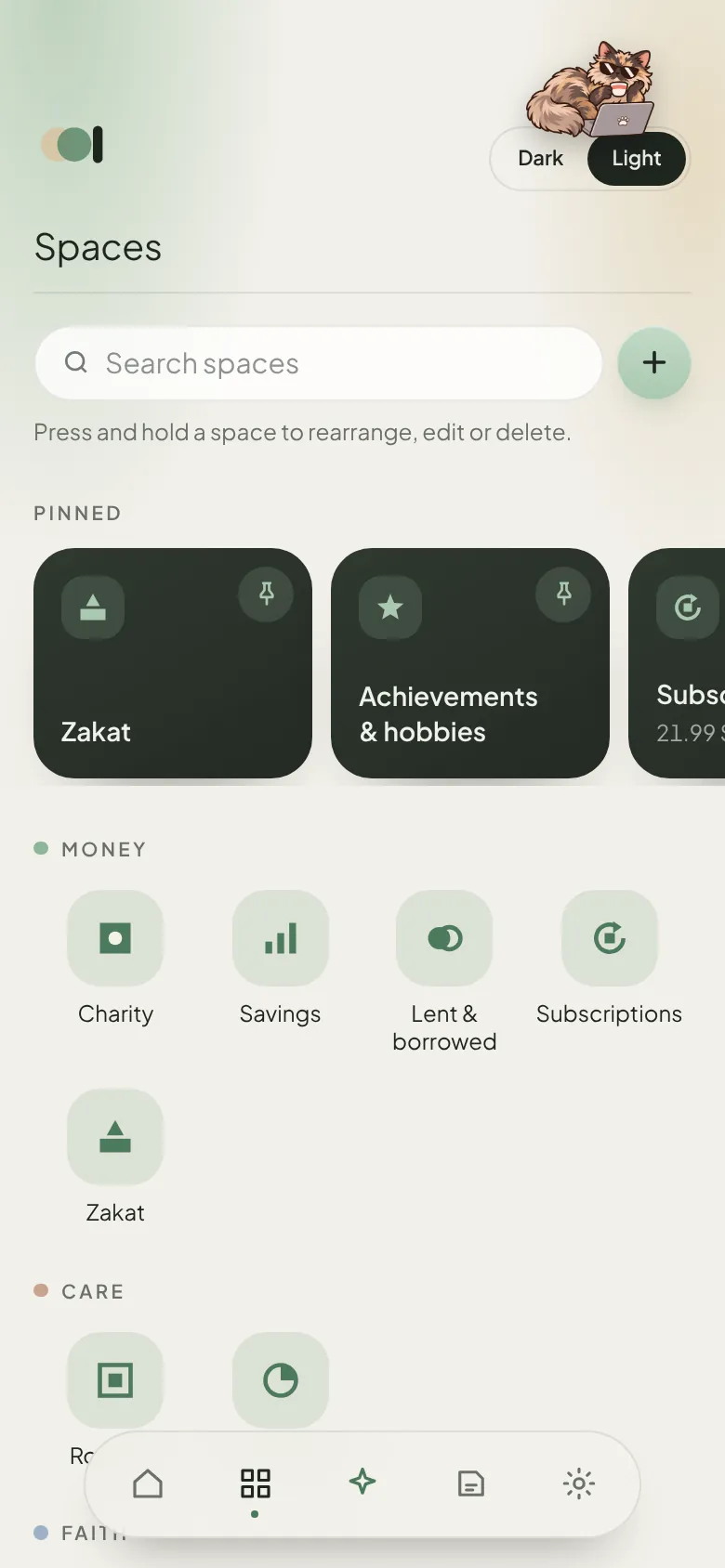
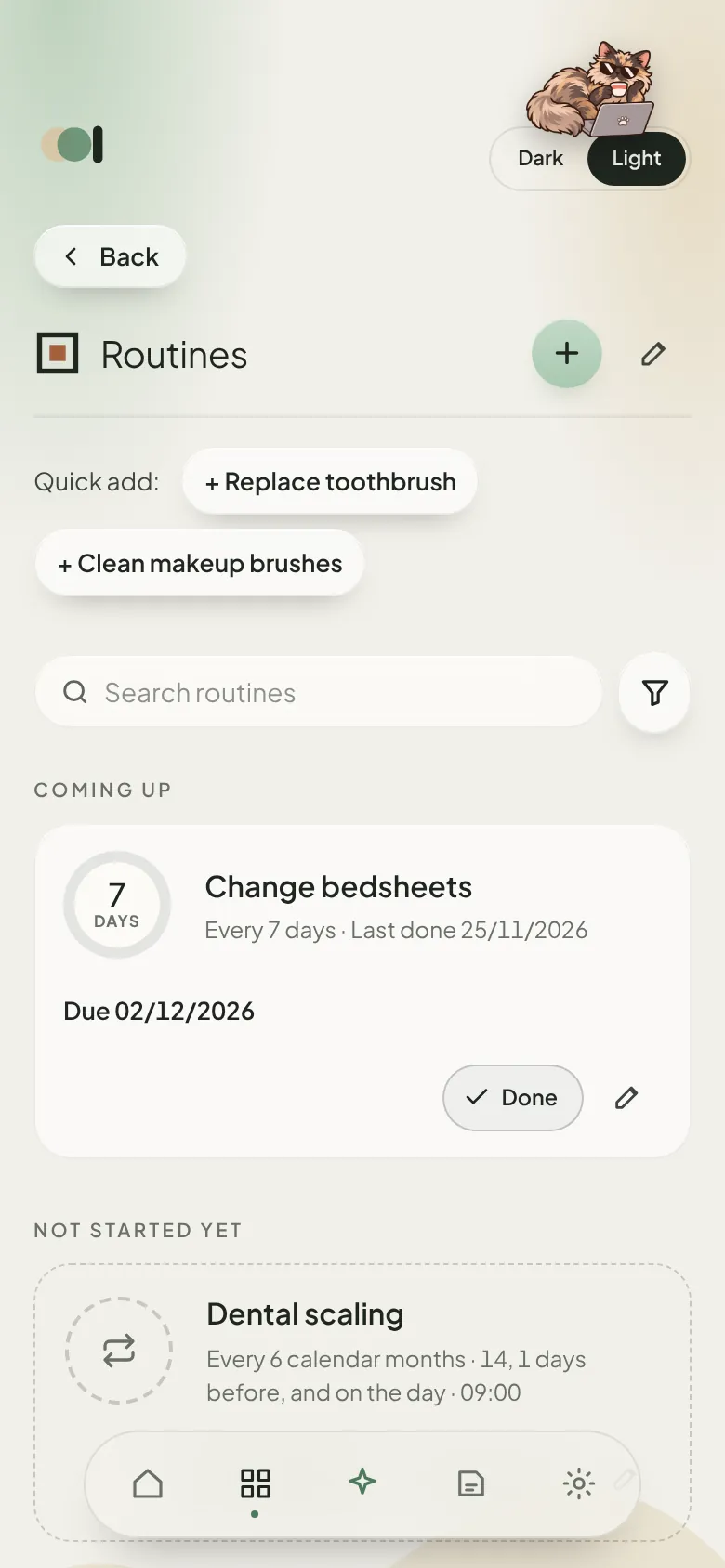
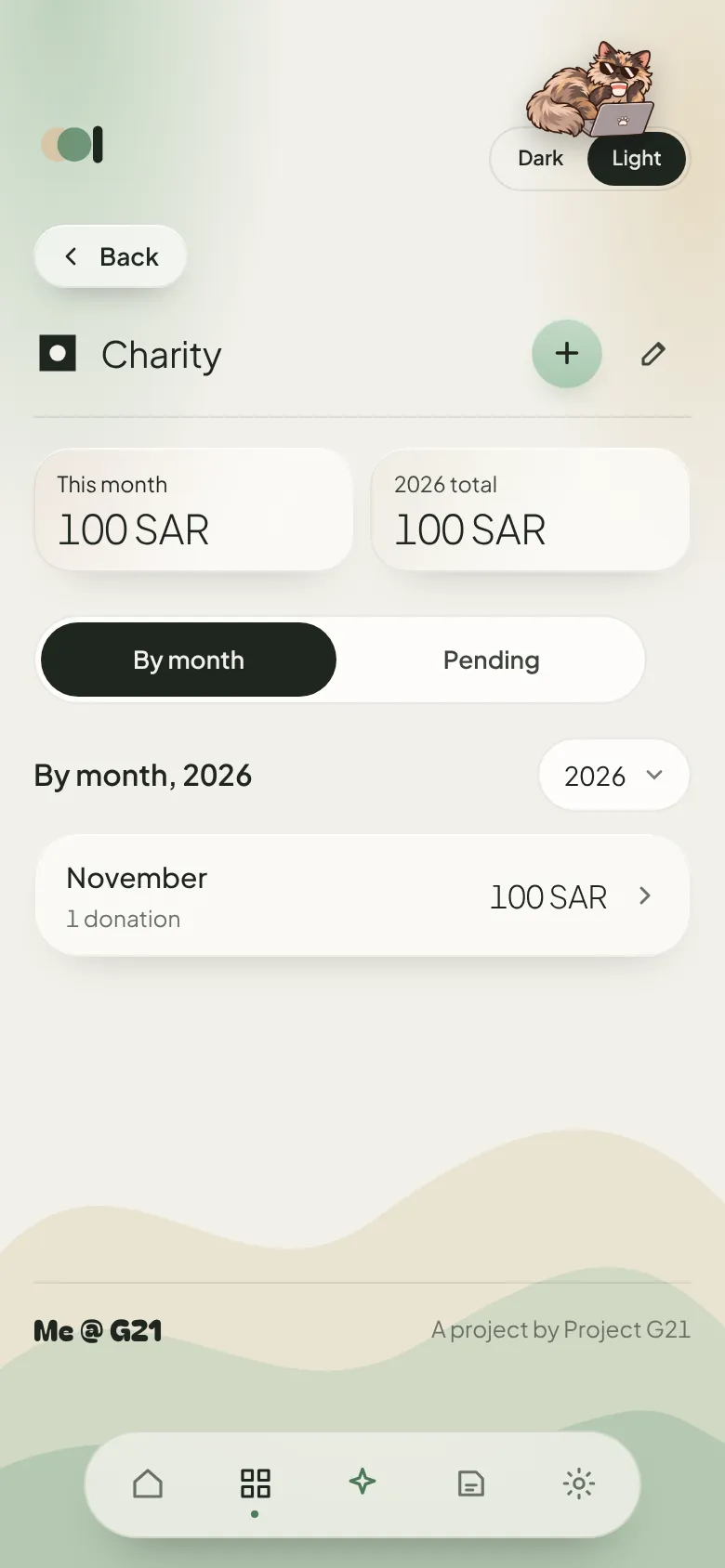
Today
The next 7 days of real dates (classes, expiries, deadlines, charges) and an "Attention needed" inbox with a count badge.
Reminders
Push notifications to my phone, quiet hours, and redacted lock-screen text for private items.
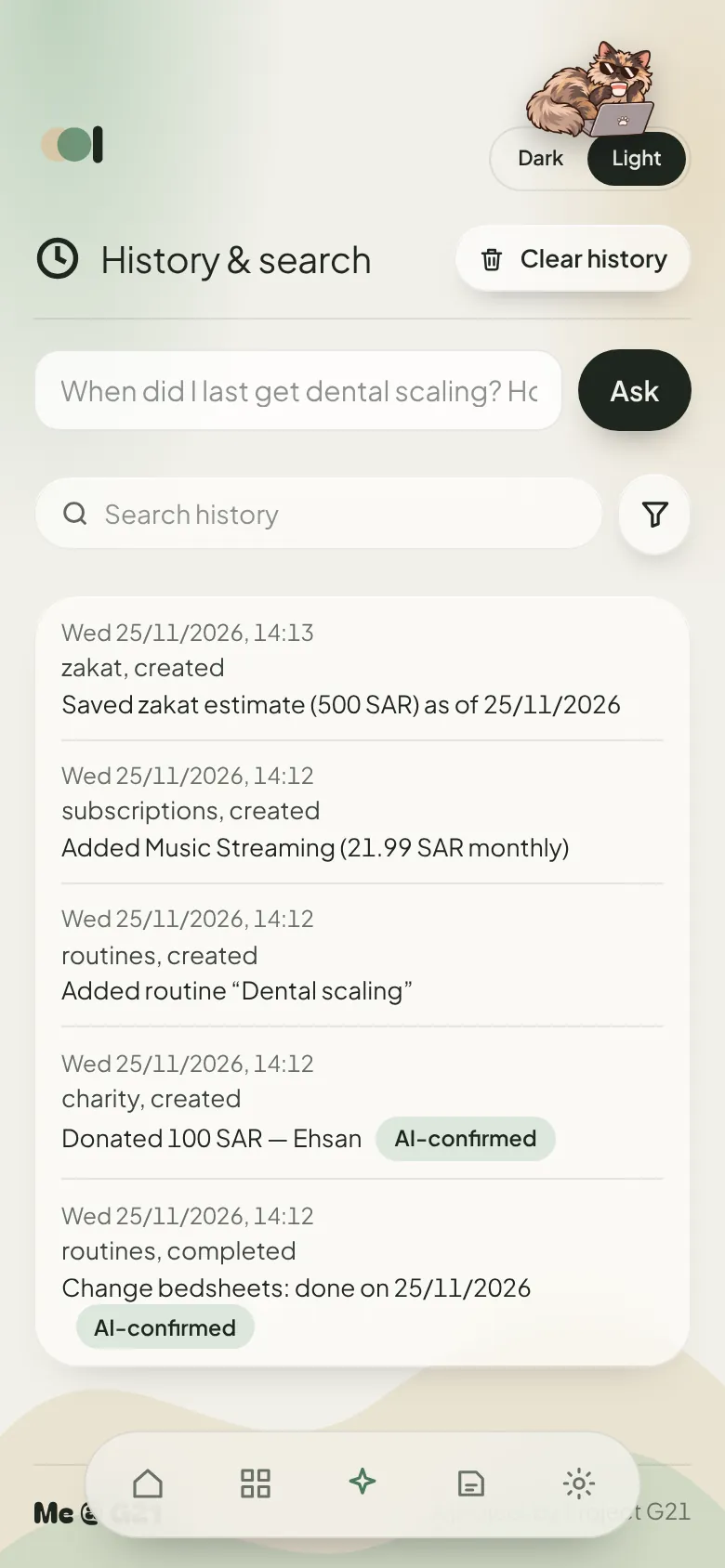
History
Every change is logged with who made it (me or the AI) and can be searched.
Recently deleted
Anything deleted can be restored for 30 days.
Spreadsheet export
One CSV per section, dates in dd/mm/yyyy.
Backups
Nightly encrypted backups, plus a full backup with every document, locked with a password only I know.
Local details done properly
Hijri dates beside Gregorian, SAR and PKR, and a dark and light theme.
A single Next.js app on free tiers, where every change goes through one checked path.
The app runs on Vercel; the dashed line is the optional Claude connection.
One write path. Every change, from a form, a button or the AI, goes through the same 87 actions. Each one checks its input, checks I own the record, updates reminders and writes a history entry, all in one database transaction. So the AI can't do anything the app's own forms couldn't, and nothing changes without a log.
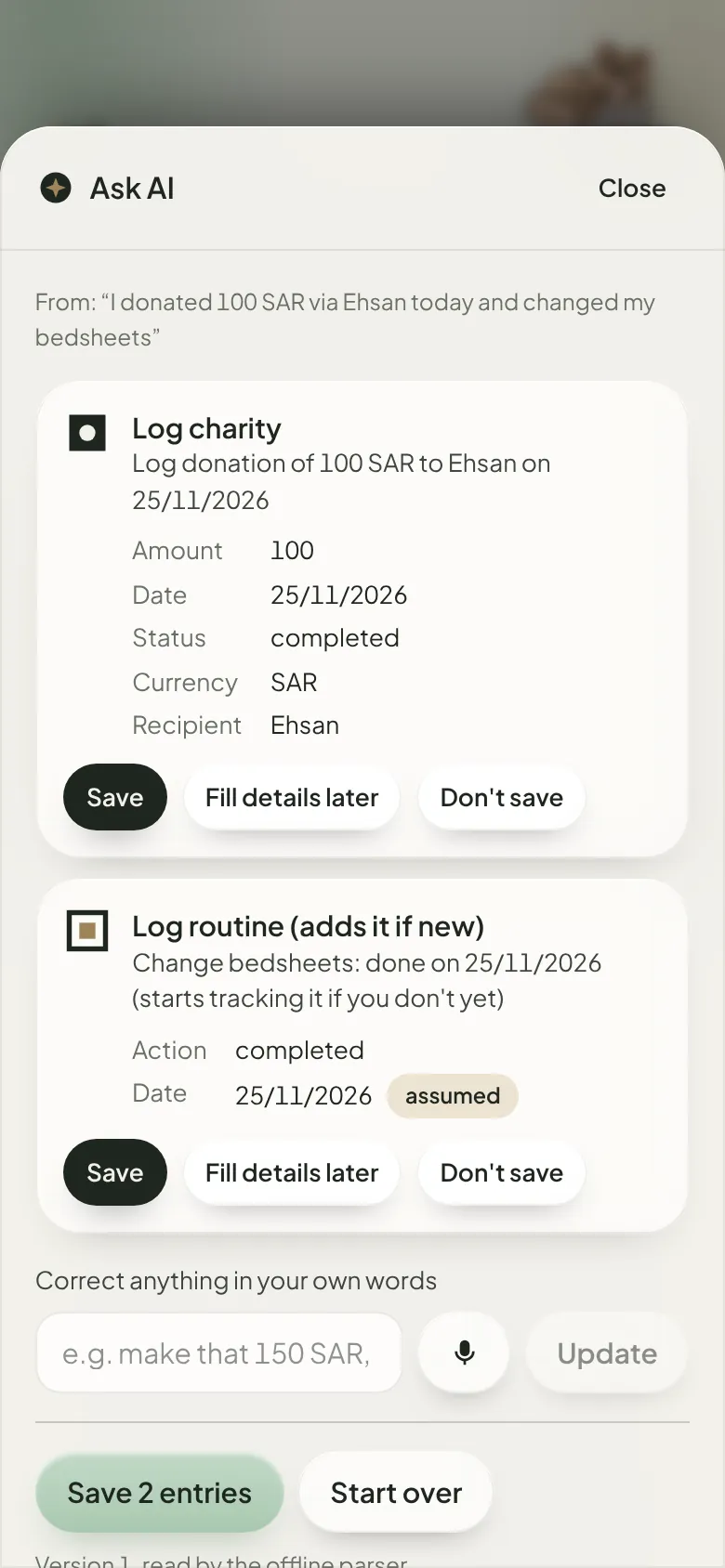
Say it once, check the preview, tap confirm. The AI never writes on its own.
Ask AI listens hands-free: it stops by itself when I pause, then works out which of four things I meant.
A preview of two entries, each with Save, Fill details later or Don't save
A Go to button already filtered to Ali's passport; if it's unclear, it asks "Whose passport?"
A Proceed card, or tap-to-choose options such as "Delete the passport expiry for whom?"
An answer from my own records, with links to the entries
Proposals, not actions
Every AI suggestion is a versioned preview. Corrections ("no, make it 150") create a new version; confirming an old version is refused.
One write path
The AI uses the same 87 validated actions as the app's own forms, and only the 37 marked safe for it.
Fixed catalogues
It can only name pages and commands from a list the app owns, so it can never send me to an arbitrary link.
Two brains
Claude (Anthropic's API) understands loose wording; a built-in offline parser handles common phrasings with no API key and no cost.
Private stays local
Documents, ID numbers and passwords are never in its context, and sensitive records are answered on the server without ever reaching the AI.
It holds passports and private records, so it was built like it does.
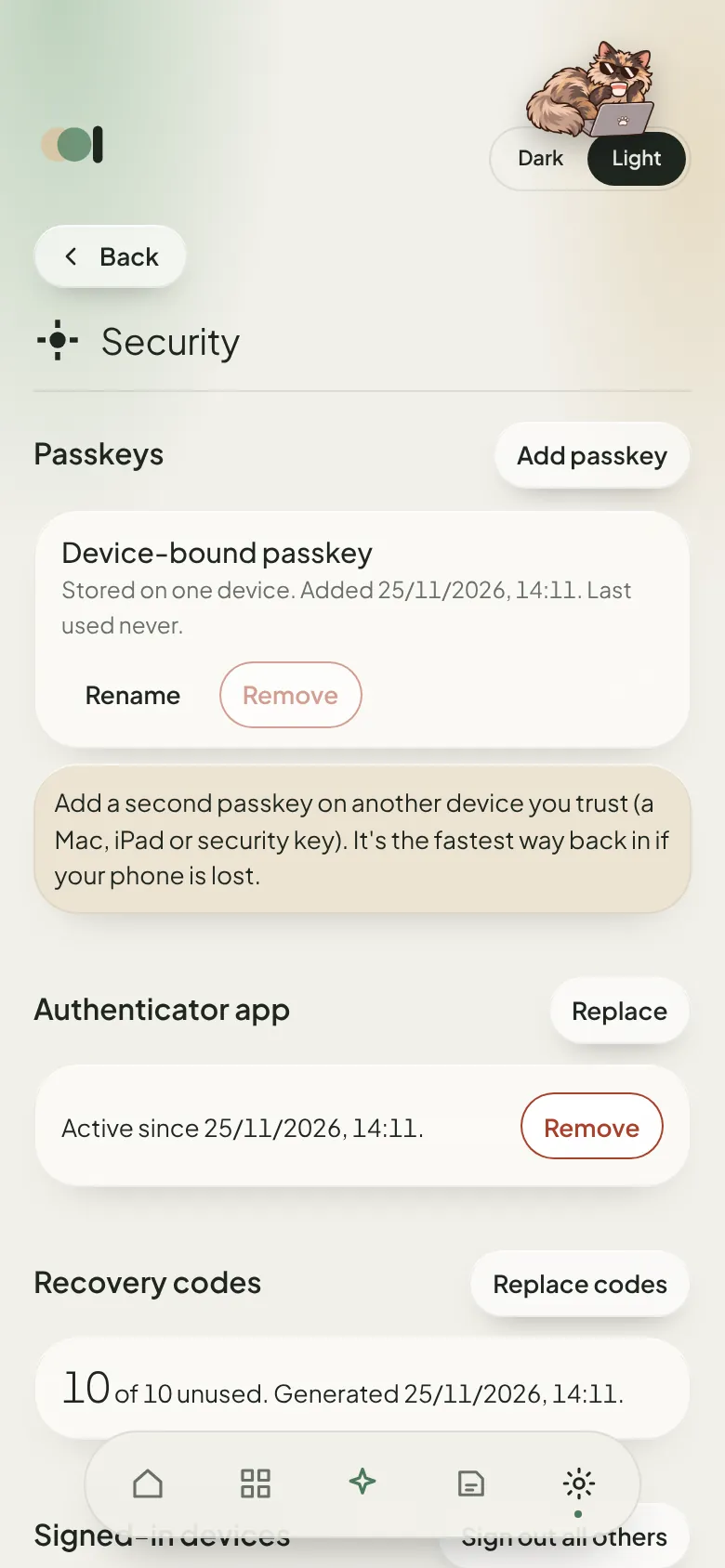
Sign-in without passwords
Passkeys (Face ID), an authenticator-app code as a second factor, and 10 one-time printed recovery codes.
Step-up checks
Revealing an ID number, restoring a backup or making a full backup asks for Face ID again, valid for 10 minutes.
Encryption at rest
Uploaded documents, full ID numbers, private notes and backups are encrypted with AES-256-GCM before they're stored.
Owner checks on every request
Every read and write is checked against the signed-in owner on the server, never trusted from the browser.
Private notifications
Sensitive reminders show only "Personal reminder" on a lock screen.
Safe spreadsheets
Exports never include passwords or ID numbers, and guard against formula injection in Excel.
Backups I control
The full backup is locked with my own password and can be restored even into a fresh installation, with every file checked against its fingerprint.
Released honestly
The password vault is marked "not approved for real secrets" until it passes an independent review.
Every requirement traced to a test, every change shipped through the same pipeline.
Written requirements first
A full product requirements document, then a traceability table linking each requirement to the code and the test that proves it.
141 automated tests
127 unit and integration tests run against a real Postgres database (reminder timing, money maths, owner isolation, backup round-trips, tampered files), plus 14 end-to-end tests in Chrome with a simulated Face ID passkey and a simulated microphone.
Continuous delivery
Every change goes to GitHub, then Vercel rebuilds, updates the database structure and publishes in about two minutes. Design changes arrived as reviewed pull requests (33 so far).
Swatches are approximate; the current theme adds an opening animation.
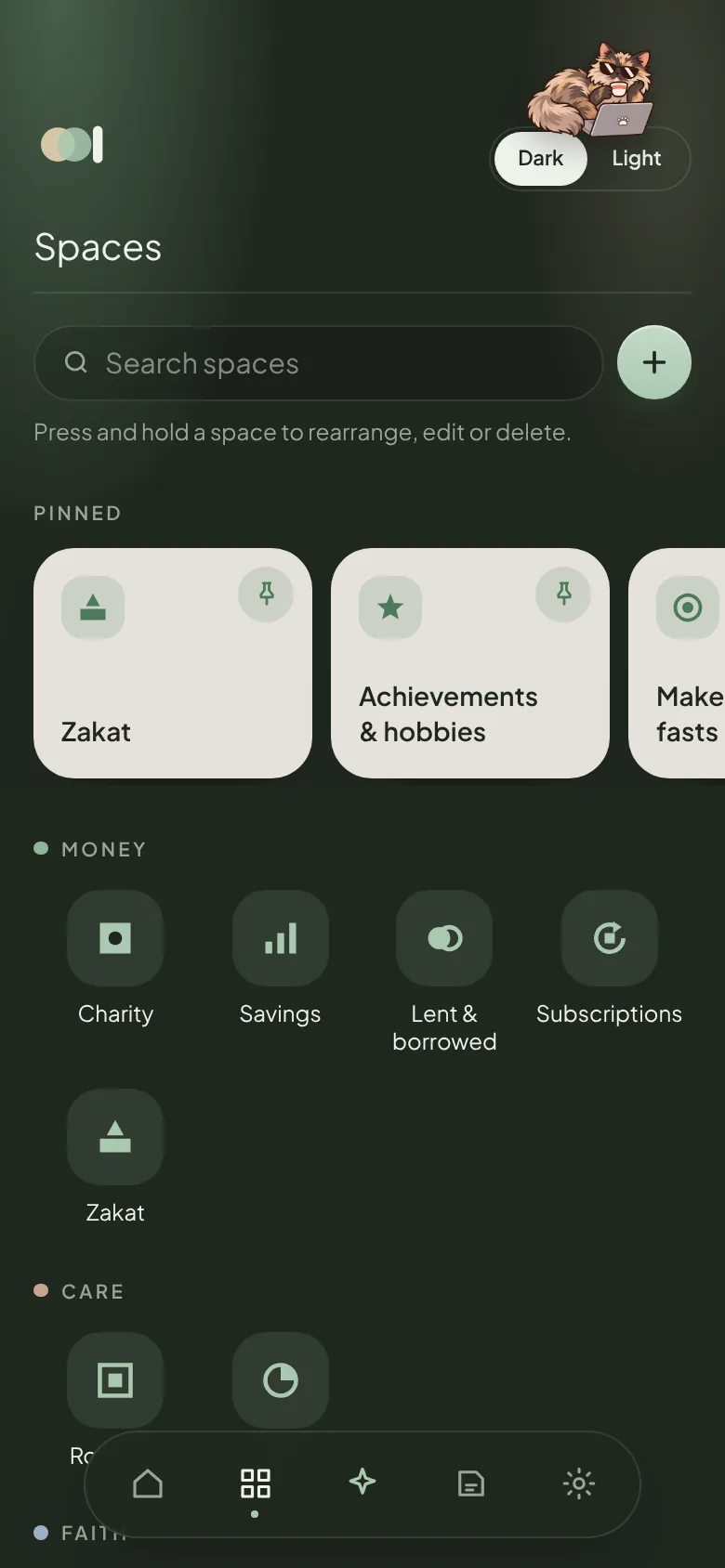
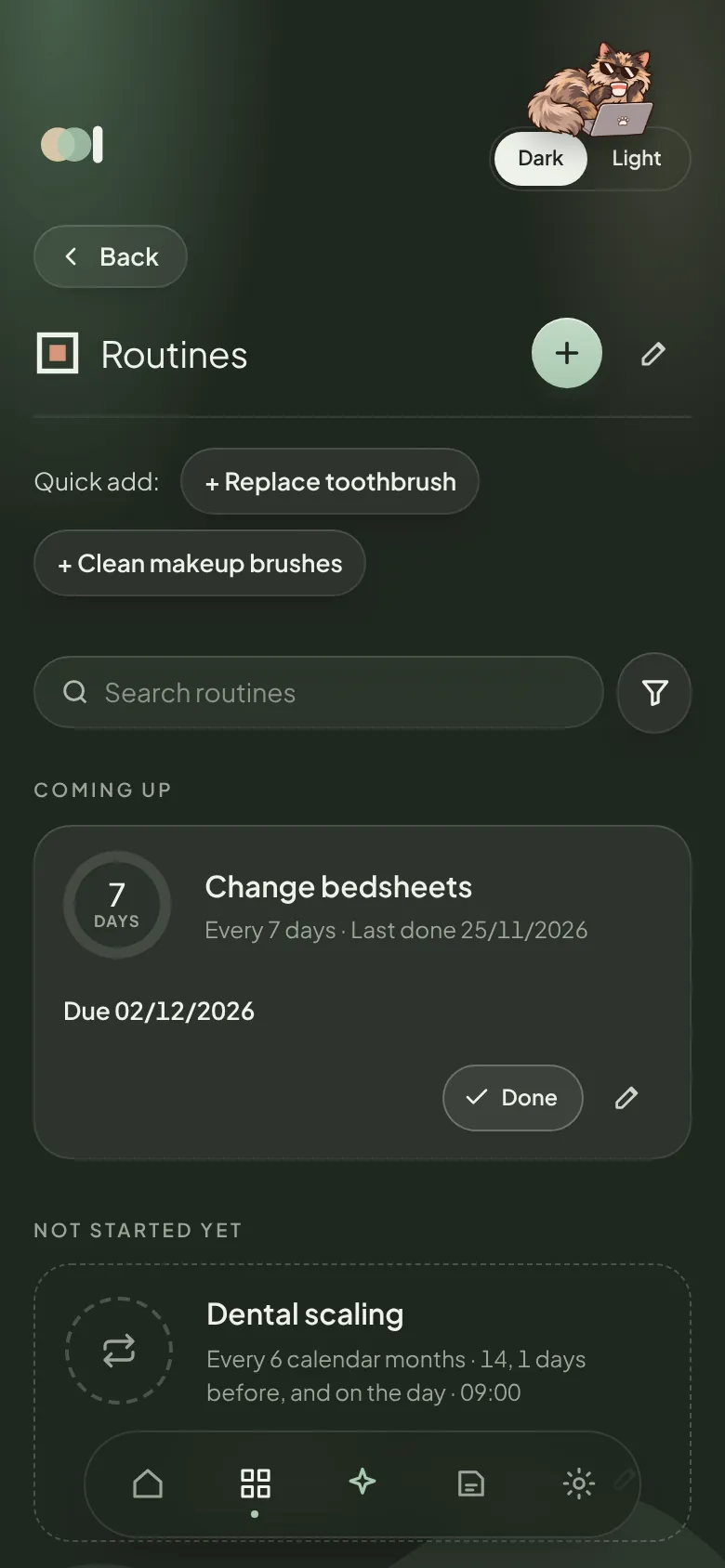
Four days from requirements to a live, installable app.
Core: data model, reminders, passkey sign-in, AI proposals; first deploy to Vercel and Neon
Expiries and encrypted documents, master's applications, routines, achievements, subscriptions, zakat
Spreadsheet export, nightly backups, password-locked full backup; new look and logo; Ask AI goes hands-free and learns pages and commands
Spaces as stacked wallets, one Edit pattern everywhere, Attention needed inbox, Ember cards
Sage and stone theme, minimalist home, pinned spaces
The difficult problems were about trust, not screens.
Time
A Quran class at 7 pm Riyadh time and an application deadline at 23:59 in the university's own timezone are both stored as exact instants, so reminders never drift.
Free infrastructure, on-time reminders
Vercel's free plan only allows a daily timer, so a free external timer (cron-job.org) calls the app every minute, with Vercel's daily run as a backup.
Big backups on a small pipe
Servers can only send about 4.5 MB at once, so the browser builds the full backup itself, one document at a time.
A lost key
When I realised I had no copy of the server's encryption key, the password-locked full backup became the fix: my data no longer depends on it.
Built for one person, honest about its limits.
Single owner by design; there are no shared or family accounts.
The password vault stays marked "not approved for real secrets" until an independent security review.
Ask AI runs on the offline parser until a Claude API key is added, so loose wording isn't understood yet.
What I did.
Wrote the requirements document, chose every feature and privacy rule, and decided what the AI may and may not do.
Set the visual direction through four themes, the Spaces layout and the one-Edit-pattern interaction model.
Developed it with Claude (Anthropic's AI) as a pair programmer: Next.js, TypeScript, Postgres, deployed on Vercel.
Used it daily on my iPhone, reported and prioritised fixes, and reviewed every pull request before it went live.